
- Datei
-
Entwürfe
-
-
All categories -
Category #1 - New Category
-
Meine Entwürfe
-
- Share
-
Hilfe
-
Quick help
- ctrl+a
Select all objects
ctrl+d Double the activate object
ctrl+e Clear all objects
ctrl+s Save current stage to my design
ctrl+o Open a file to import design
ctrl+p Print
ctrl++ Zoom out
ctrl+- Zoom in
ctrl+0 Reset zoom
ctrl+z Undo changes
ctrl+shift+z Redo changes
ctrl+shift+s Download current design
delete Delete the activate object
← Move the activate object to left
↑ Move the activate object to top
→ Move the activate object to right
↓ Move the activate object to bottom
shift+← Move the activate object to left 10px
shift+↑ Move the activate object to top 10px
shift+→ Move the activate object to right 10px
shift+↓ Move the activate object to bottom 10px - Hier die Videos

Copyright © 2020 Limitless Power GmbH
All Rights Reserved.Powered by Lumise version 2.0
-
- Shop
- Rückgängig
- Widerholen
-

-
 English
-
German
Languages
-
- 0.0
-
My cart
- Zurück zum Shop
- Design
- Produkt
- Vorlagen
- Text
- Formen
- Images
- Ebenen
- Cliparts
Zum Hinzufügen Klicken Oder Ziehen









Click or drop images here
-
Beginnen Sie, indem Sie Objekte von der linken Seite hinzufügen
- Alle Ausgewählte Objekte Sind Gruppiert | Gruppierung Aufheben?
- Objekte Gruppieren Die Position Gruppieren
-
-
Füll Optionen
Save this color
-
-
Optionen
-
Richten Sie die Position des aktiven Objekts
automatisch an anderen Objekten aus -
EIN: Behalten Sie alle aktuellen Objekte bei und hängen Sie die Vorlage an
AUS: Löschen Sie alle Objekte, bevor Sie die Vorlage installieren -
Ersetzen Sie das ausgewählte Bildobjekt, anstatt ein neues zu erstellen
-
- Bild Ersetzen
- Crop
-
Mask
-
Select mask layer
-
-
Remove background
-
Remove background
-
Deep:
-
Mode:
-
-
Filters
-
Filters
-
- Original
- B&W
- Satya
- Doris
- Sanna
- Vintage
- Gordon
- Carl
- Shaan
- Tonny
- Peter
- Greg
- Josh
- Karen
- Melissa
- Salomon
- Sophia
- Adrian
- Roxy
- Singe
- Borg
- Ventura
- Andy
- Vivid
- Purple
- Thresh
- Aqua
- Edge wood
- Aladin
- Amber
- Anne
- Doug
- Earl
- Kevin
- Polak
- Stan
-
Brightness:
-
Saturation:
-
Contrast:
-
- Clear Filters
- Click then drag the mouse to start drawing. Ctrl+Z = undo, Ctrl+Shift+Z = redo
- QRCode text
-
Füll Optionen
-
Füll Optionen
Save this color
-
Transparent:
-
Stroke width:
-
Stroke color:
-
- Positionsgruppe Aufheben
-
Ebenen Anordnen
-
Position
-
Object position
Lock object position:
-
Center vertical
-
Top left
-
Top center
-
Top right
-
Center Horizontal
-
Middle left
-
Middle center
-
Middle right
-
Press ← ↑ → ↓ to move 1 px,
Hit simultaneously SHIFT key to move 10px -
Bottom left
-
Bottom center
-
Bottom right
-
-
Transforms
-
Rotate:
-
Skew X:
-
Skew Y:
-
Flip X:
Flip Y:
Free transform by press SHIFT+⤡
-
-
Font family
-
Edit text
-
Edit text
-
-
Font size:
-
Letter spacing
-
Line height
-
-
Text Effects
-
Text Effects
-
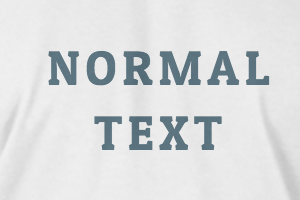
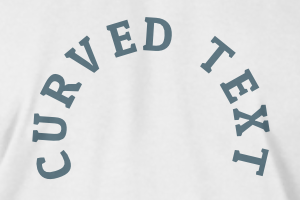
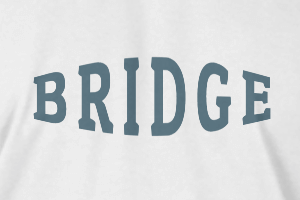
-
Radius
-
Spacing
-
Curve
-
Height
-
Offset
-
Trident
-
-
Text align
- Uppercase / Lowercase
- Font weight bold
- Text style italic
- Text underline
Please select a product to start designing
Scroll to zoom